
Summarize this article with:
In this article, you'll discover how to integrate Eden AI's Face Recognition API with Python. This user-friendly API allows you to identify and verify faces in images, boosting your security and authentication systems with advanced AI technology.
What is Face Recognition API?
%20(1)%20(1).avif)
The Face Recognition API is a powerful tool that utilizes advanced computer vision, artificial intelligence, and machine learning to detect, identify, and verify faces in images and videos.
It is highly versatile, with applications across security systems, personalized user experiences, authentication processes, law enforcement, and even social media platforms for tagging people in photos.
By analyzing and comparing facial features, the API accurately identifies individuals by matching an input face with a database of stored faces.
Applications of Face Recognition
- Security & Authentication: Face recognition is commonly used for secure access control in devices like smartphones and laptops, as well as restricted areas, replacing traditional passwords and keycards.
- Surveillance & Law Enforcement: Police and security agencies rely on face recognition to identify suspects, monitor crowds, and enhance public safety efforts.
- Banking & Finance: Financial institutions use face recognition for identity verification in mobile banking apps and ATMs, helping to prevent fraud.
- Retail & Customer Experience: Retailers implement face recognition for personalized marketing, recognizing VIP customers, and preventing theft.
- Healthcare: Hospitals adopt face recognition for patient identification, accessing medical records, and monitoring patient health and safety.
How to do Face Recognition?
Set Up Your Eden AI Account
1. Sign up: If you don’t have an Eden AI account yet, sign up for free using this link. After signing up, go to the dashboard to get your API key.
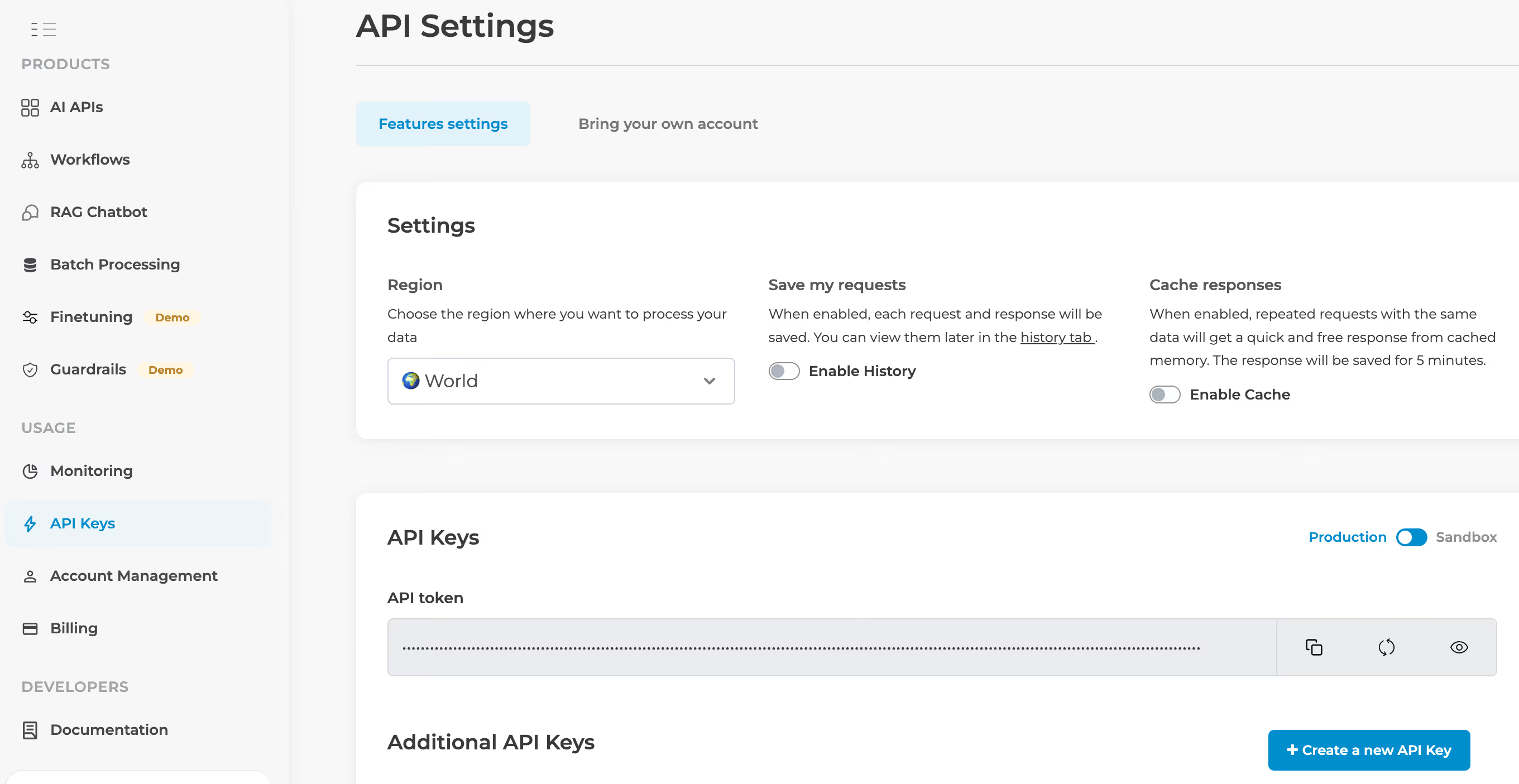
2. Navigate to Image Technologies – After logging in, go to the face recognition section of the platform.
3. Select Face Recognition – Choose the face recognition feature or explore advanced options like real-time detection and verification based on your needs.
Implementing Face Recognition with Python
Install Python's Requests Module: Python's requests module is a simple way to send HTTP requests to interact with APIs. You can install it using pip:
Code Example
In this step, we'll write a Python script that sends HTTP requests to Eden AI's Face Recognition API to add faces and recognize them.
- Authentication Header:
The Authorization header contains the API key, allowing us to authenticate with Eden AI's services. - Adding Faces to the Database:
For each face URL, we send a POST request to the API to add the face to the recognition database. We specify the provider (in this case, Amazon) and the image URL of the face. - Face Recognition:
The second part of the code involves recognizing a specific face by sending its image URL to Eden AI’s face recognition API. The response will contain matched faces with their IDs and confidence scores.
- Loop Through Matches: We loop through the matched faces, printing out their face_id and confidence. The confidence value indicates how certain the model is that the face in the image matches an entry in the database.
POST and GET Requests in the Code
There are both POST and GET requests used in the code. Let’s break them down:
POST Request:
- POST https://api.edenai.run/v2/image/face_recognition/add_face
This request adds a face to the recognition database. It is sent every time you upload a face image that you want to register for future recognition. In the code, we’re sending face images by their URLs to this endpoint. - POST https://api.edenai.run/v2/image/face_recognition/recognize
This request sends a face image URL to the Eden AI API to check if it matches any faces in the system. The response will include possible matches and confidence levels.
GET Request:
- GET https://api.edenai.run/v2/image/face_recognition/list_faces
Although this is not used in the provided code, this GET request retrieves a list of all the faces that have been added to the Eden AI database. This would be useful if you wanted to fetch all faces stored for later processing.
Interpreting the Results
The response from Eden AI's Face Recognition API will include a list of faces that matched the one you submitted for recognition. Each face in the list will include:
- Face ID: A unique identifier for each detected face.
- Confidence: A numeric value between 0 and 1, indicating the likelihood that the face matches a known face. A higher value means higher confidence.
- Face ID: Represents the unique identifier of the matched face.
- Confidence: Indicates the confidence score of the match. For example, a confidence of 0.98 suggests a very high likelihood that the face matches the one stored in the database.
Why Eden AI is the Best Tool for Face Recognition
Eden AI stands out as a top choice for face recognition due to many advantages

Ease of Use
Eden AI's API is designed to be simple and developer-friendly. You don’t need to worry about complex machine learning algorithms—Eden AI handles the heavy lifting.
Multiple Providers
Eden AI integrates with several face recognition providers (like Amazon), giving you flexibility in terms of performance and pricing.
No Machine Learning Expertise Needed
You don’t need to be an expert in machine learning or deep learning to use the API. Everything is abstracted, allowing you to focus on your application’s core functionality.
Scalability
Eden AI’s cloud-based API can handle a vast number of face recognition requests, making it ideal for both small and large-scale applications.
Conclusion
In this guide, we explored how to implement face recognition checks in Python using Eden AI’s API. We covered how to add faces to the database and how to recognize faces using a simple HTTP request. The key operations include sending POST requests to add and recognize faces, and understanding the responses.
Eden AI is an excellent tool for developers who want to integrate face recognition without the complexity of building machine learning models from scratch. With the flexibility of choosing from different providers, ease of use, and the ability to scale, Eden AI is a perfect choice for adding face recognition to your applications.
Next Step in Your Project
The Eden AI team is ready to assist you with your Face Recognition integration project. Here’s how we can help:
- Scheduling a product demo: We can organize a demo and discussion to better understand your specific needs.
- Expert support and advice: Our team of experts can help you find the best combination of providers tailored to your bank check parsing requirements.
- Third-party platform integration: We can quickly develop connectors to integrate Eden AI into your existing platforms, ensuring a smooth implementation process.

.jpg)

.avif)
.avif)